Earth to Moon flash
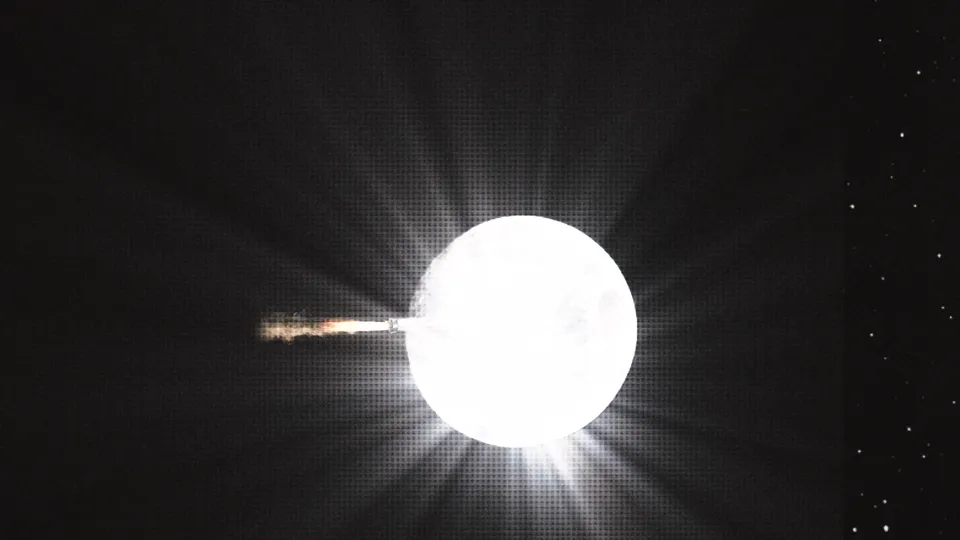
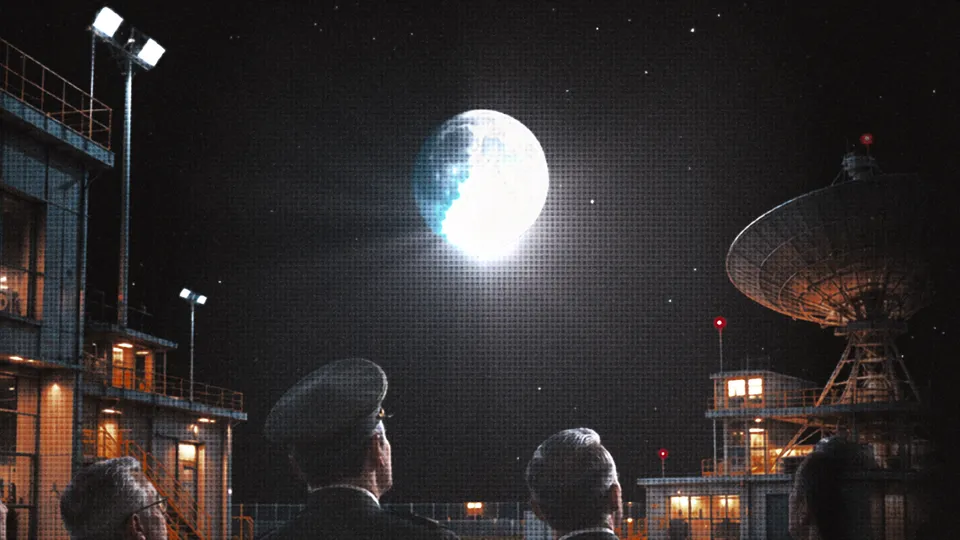
A rocket flame streaks from Earth toward the Moon, the Moon flares into a blinding flash, then a crowd on the ground looks up at the glow.
Transitions6 s16:9, 9:16Build with Remotion, HyperFrames or HTML
Your prompt
Your prompt is ready
Leave your email to see it and copy it. Free during launch.
Paste it into Claude (Claude Code works best). It builds the scene and shows you 3 still frames before rendering. How to use it
About this animation
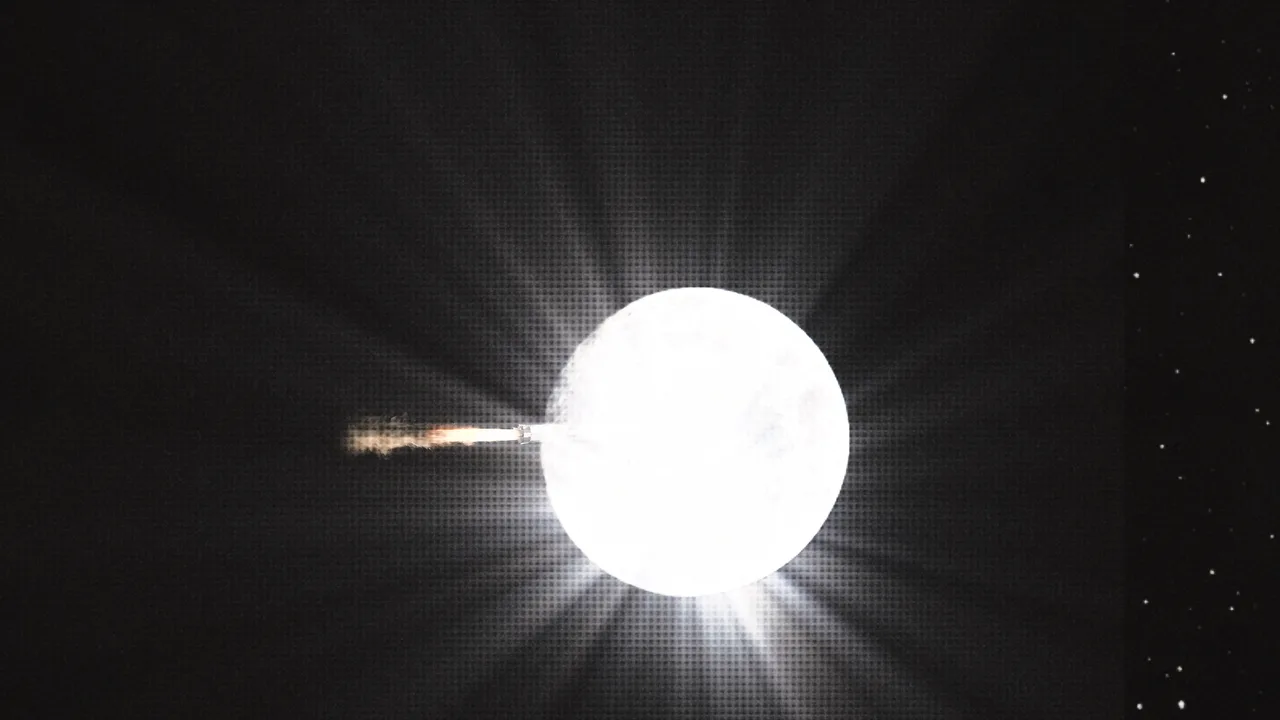
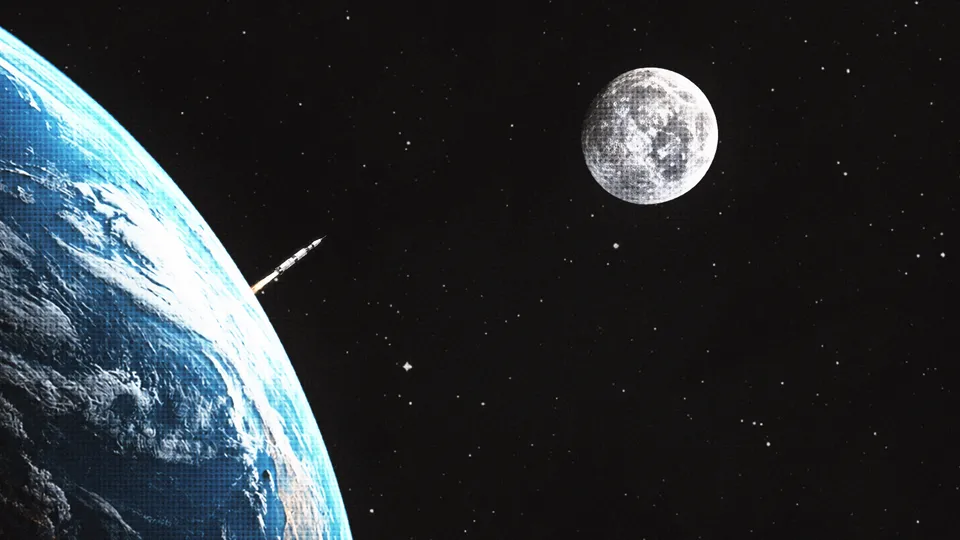
Some moments of a story need no words: the launch, the impact, the reaction. This scene shows all three in six seconds. The Moon hangs in the dark beside the edge of the Earth, a rocket flame races across the frame, the Moon flares into a blinding white flash with light rays, then the film cuts to a crowd of officers and scientists on a launch site looking up at the glowing Moon. A circle opens at the end to the next shot.
It is a professional After Effects documentary edit replayed by code: the flame clip, the light rays, the flash, the grade and the camera moves come from the original project, sample by sample. The Earth, the Moon, the flame and the crowd are separate layers you can replace.
Scene timeline
Second by second, with the example content. Timing adapts to your text.
- 0.0 s
The Moon
The Moon appears in the dark, then the edge of the Earth.
- 1.8 s
Flame
A rocket flame streaks across space toward the Moon.
- 3.4 s
Flash
The Moon flares into a blinding white flash with rays of light.
- 4.3 s
Crowd
Cut to a crowd on a launch site looking up at the glowing Moon.
- 5.6 s
Circle wipe
A circle grows from the Moon and opens on the next shot.
Frames from the scene
Entrance, middle and final hold, with the example content.
What you can customize
- No text
- This scene carries the story with pictures only: let your voice-over speak over it.
- Pictures
- The Earth, the Moon, the flame clip and the crowd are separate files you can replace.
- Timing
- Land the flash, at 3.4 s, on the strongest word of your sentence.
Best for
Space stories
Show a launch, an impact or an experiment without explaining it on screen.
Turning points
A visual climax between two talking parts of a documentary.
Reaction beats
End on people looking up: the viewer feels the scale of the event.
How to use it
Customize
Change the text, the color, the format and the tool in the panel above. The live preview follows as you type.
Unlock
Leave your email once to reveal the full prompt and copy it. It is free during launch.
Paste into Claude Code
Start Claude Code in a project folder (npx create-video for Remotion, npx hyperframes init for HyperFrames, any empty folder for plain HTML) and paste the prompt. Claude writes the scene with your content.
Check the 3 frames
Before any render, Claude shows you three still frames: the end of the entrance, the middle of the hold and the moment just before the exit. Ask for fixes until they match the preview.
Render
Approve and let Claude render the video: an MP4 to upload, or a transparent WebM or ProRes 4444 file for your editor. A plain HTML scene is captured frame by frame with a headless browser and FFmpeg.
Pro tips
- Use it for the “what if” moment of a story.
- Keep the voice-over silent for half a second at the flash.
- Follow it with Title on a lunar surface to state the twist.
Questions
Is it the original After Effects animation?
Yes. The documentary was ported to code value by value: camera moves, easing, textures, transitions and motion blur play exactly as in the original edit. Only the words you change are different.
Can I use my own footage?
Yes. The flame is a video clip and the Earth, the Moon and the crowd are pictures; the prompt names each file so you can swap them.
Does it come with sound?
No. The original documentary only had a voice-over: add your own narration and music in your edit, the scene is timed to carry one sentence.
Which formats are available?
Two: 16:9 (1920 × 1080), adapted for YouTube, and 9:16 (1080 × 1920), the vertical original of the documentary for Shorts, Reels and TikTok. Same timing, same texts.
More animations
Browse the library